一、shiro快速开始
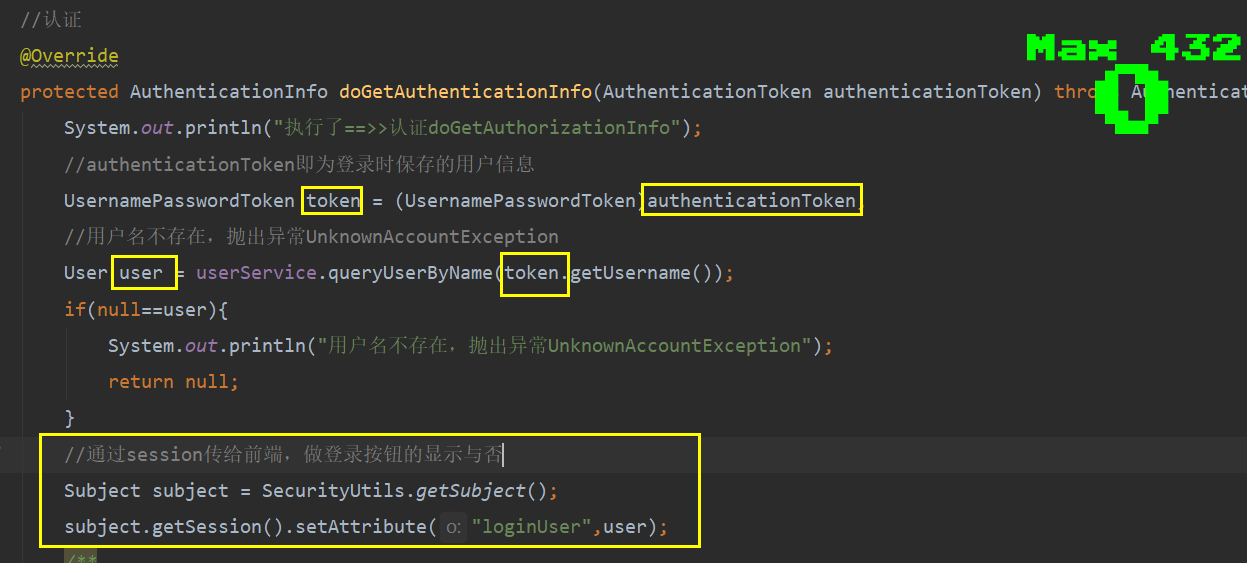
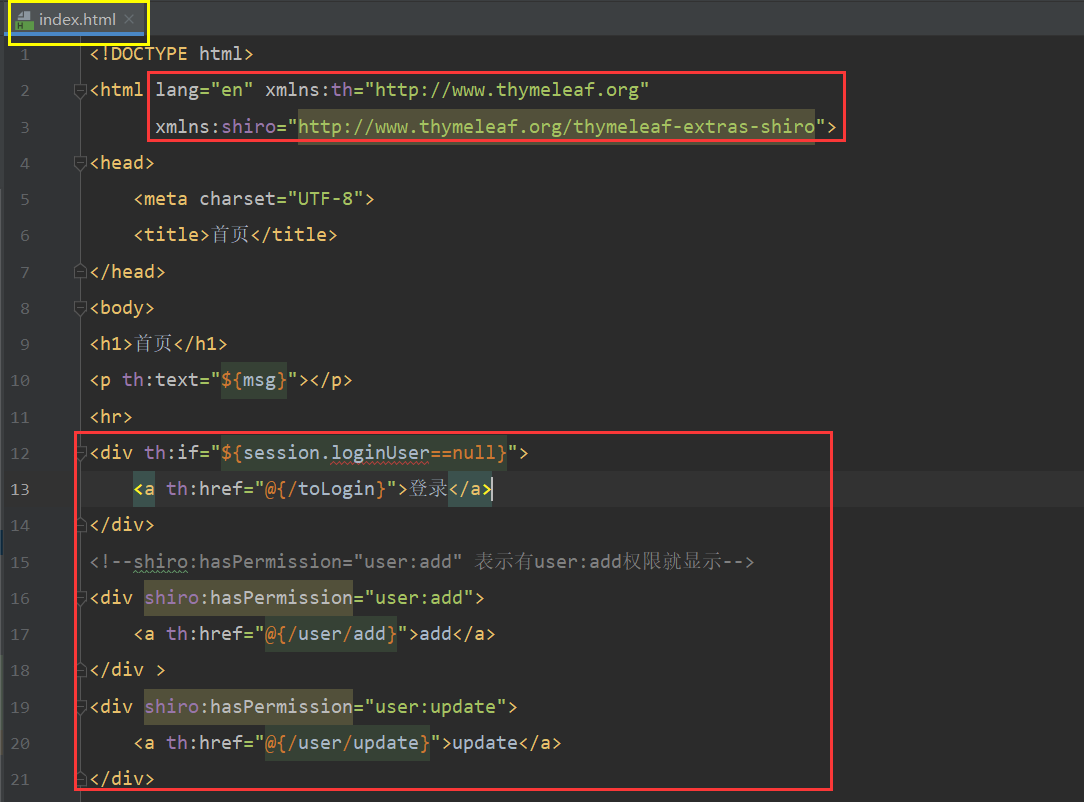
subject:用户
SecuirtyManager:管理所有用户
Realm:连接数据
1、构建项目
1、导入依赖
2、配置文件
3、hello word
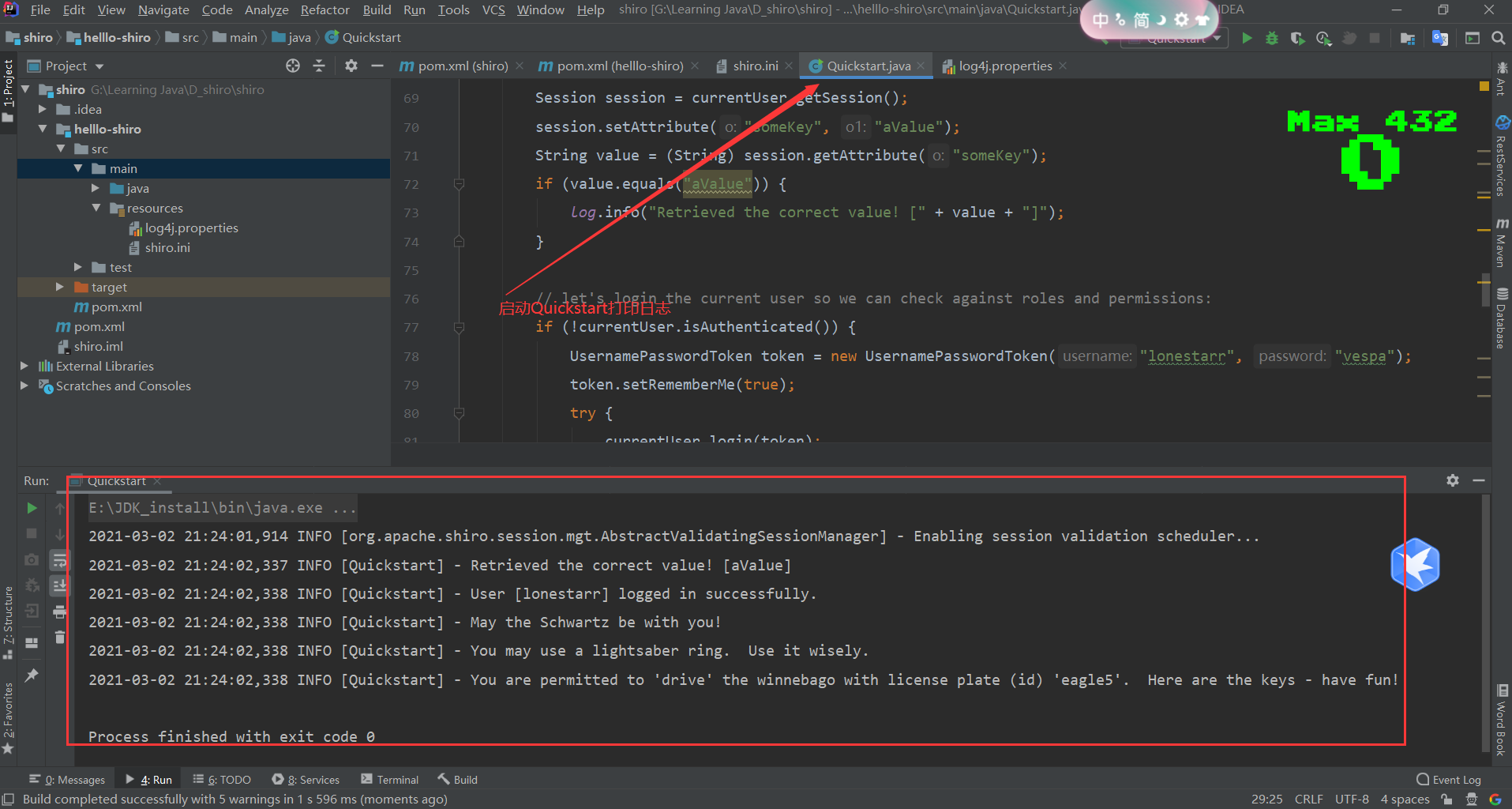
2、Shiro的Subject分析
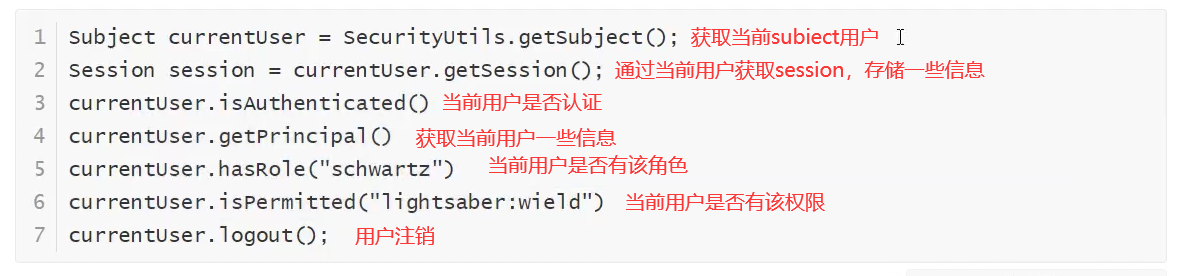
public class Quickstart {
    private static final transient Logger log = LoggerFactory.getLogger(Quickstart.class);
    public static void main(String[] args) {
        Factory<SecurityManager> factory = new IniSecurityManagerFactory("classpath:shiro.ini");
        SecurityManager securityManager = factory.getInstance();
        SecurityUtils.setSecurityManager(securityManager);

        // 获取当前的用户对象Subject
        Subject currentUser = SecurityUtils.getSubject();
        // 通过当前用户拿到Session,通过Session来存取值
        Session session = currentUser.getSession();
        session.setAttribute("someKey", "aValue");
        String value = (String) session.getAttribute("someKey");
        if (value.equals("aValue")) {
            log.info("Retrieved the correct value! [" + value + "]");
        }
        // 判断当前的用户是否被认证
        if (!currentUser.isAuthenticated()) {
            //被认证后拿去用户的用户名和密码生成令牌token
            UsernamePasswordToken token = new UsernamePasswordToken("lonestarr", "vespa");
            //设置记住我
            token.setRememberMe(true);
            try {
                //执行登录操作
                currentUser.login(token);
            } catch (UnknownAccountException uae) {
                //用户名出错误
                log.info("There is no user with username of " + token.getPrincipal());
            } catch (IncorrectCredentialsException ice) {
                //密码错误
                log.info("Password for account " + token.getPrincipal() + " was incorrect!");
            } catch (LockedAccountException lae) {
                //几次登录失败,用户被锁定了
                log.info("The account for username " + token.getPrincipal() + " is locked.  " +
                        "Please contact your administrator to unlock it.");
            }
            // ... catch more exceptions here (maybe custom ones specific to your application?
            catch (AuthenticationException ae) {
                //unexpected condition?  error?
            }
        }

        //currentUser.getPrincipal()表示获取当前用户的信息
        log.info("User [" + currentUser.getPrincipal() + "] logged in successfully.");

        //测试当前用户有没有该角色(shiro.ini中设定的角色)
        if (currentUser.hasRole("schwartz")) {
            log.info("May the Schwartz be with you!");
        } else {
            log.info("Hello, mere mortal.");
        }

        //测试当前用户有没有该权限(shiro.ini中设定的权限)——这里设置的是更简单的权限
        if (currentUser.isPermitted("lightsaber:wield")) {
            log.info("You may use a lightsaber ring.  Use it wisely.");
        } else {
            log.info("Sorry, lightsaber rings are for schwartz masters only.");
        }

        //测试当前用户有没有更高级的权限(shiro.ini中设定的权限)
        if (currentUser.isPermitted("winnebago:drive:eagle5")) {
            log.info("You are permitted to 'drive' the winnebago with license plate (id) 'eagle5'.  " +
                    "Here are the keys - have fun!");
        } else {
            log.info("Sorry, you aren't allowed to drive the 'eagle5' winnebago!");
        }

        //注销
        currentUser.logout();
        System.exit(0);
    }
}
3、SpringBoot整合Shiro环境搭建
1、Shiro整合spring包
2、配置文件:ShiroConfig
3、自定义realm类:UserRealm
<!--Shiro整合Spring的包-->
 <dependency>
     <groupId>org.apache.shiro</groupId>
     <artifactId>shiro-spring</artifactId>
     <version>1.4.1</version>
 </dependency>
@Configuration
public class ShiroConfig {
//ShiroFilterFactoryBean Shiro过滤的Bean
@Bean
public ShiroFilterFactoryBean getShiroFilterFactoryBean(@Qualifier("securityManager")DefaultWebSecurityManager defaultWebSecurityManager){
ShiroFilterFactoryBean bean = new ShiroFilterFactoryBean();
//设置安全管理器
bean.setSecurityManager(defaultWebSecurityManager);
/**
* 添加shiro的内置过滤器(表示通过一个map设置过滤器链)
* anon:无需认证就可以访问
* authc:必须认证了才能访问
* user:必须用有了 rememberMe 功能才能访问
* perms:拥有某个资源的权限才能访问
* role:拥有某个角色权限才能访问
*/
Map<String, String> filterMap = new LinkedHashMap<>();
//下面两个put整合在一起使用通配符*:filterMap.put("/user/*","authc");
filterMap.put("/user/add","authc");
filterMap.put("/user/update","authc");
//授权,未授权跳转到未授权页面
filterMap.put("/user/add","perms[user:add]");
filterMap.put("/user/update","perms[user:update]");
bean.setFilterChainDefinitionMap(filterMap);
//设置未授权跳转页面
bean.setUnauthorizedUrl("/noauth");
//设置登录请求跳转页面
bean.setLoginUrl("/toLogin");
return bean;
}
//DefaultWebSecurityManager 安全对象
@Bean(name = "securityManager")
public DefaultWebSecurityManager getDefaultWebSecurityManager(@Qualifier("userRealm") UserRealm userRealm){
DefaultWebSecurityManager securityManager = new DefaultWebSecurityManager();
//关联UserRealm
securityManager.setRealm(userRealm);
return securityManager;
}
//创建realm对象,需要自定义类(UserRealm)
@Bean(name = "userRealm")
public UserRealm userRealm(){
return new UserRealm();
}
//整合ShiroDialect:用来整合shiro thymeleaf
@Bean
public ShiroDialect getShiroDialect(){
return new ShiroDialect();
}
}
/**
 * 自定义的UserRealm需要继承AuthorizingRealm重写里面的方法
  (认证和授权)
 */
public class UserRealm extends AuthorizingRealm {
    @Autowired
    UserService userService;
    //授权
    @Override
    protected AuthorizationInfo doGetAuthorizationInfo(PrincipalCollection principalCollection) {
        System.out.println("执行了==>>授权doGetAuthorizationInfo");
        //找到AuthorizationInfo实现类SimpleAuthorizationInfo
        SimpleAuthorizationInfo info = new SimpleAuthorizationInfo();
        //获取登录用户对象,前提在认证所传递的三个参数中的第一个prinicpal即为认证成功的用户对象
        Subject subject = SecurityUtils.getSubject();
        User user = (User) subject.getPrincipal();
        //按用户持有的权限给用户授权
        info.addStringPermission(user.getPerms());
        return info;
    }
    //认证
    @Override
    protected AuthenticationInfo doGetAuthenticationInfo(AuthenticationToken authenticationToken) throws AuthenticationException {
        System.out.println("执行了==>>认证doGetAuthorizationInfo");
        //authenticationToken即为登录时保存的用户信息
        UsernamePasswordToken token = (UsernamePasswordToken)authenticationToken;
        //用户名不存在,抛出异常UnknownAccountException
        User user = userService.queryUserByName(token.getUsername());
        if(null==user){
            System.out.println("用户名不存在,抛出异常UnknownAccountException");
            return null;
        }
        /**
         * 注:密码的验证是交给shrio来做的,为了安全
         * shiro提供密码加密(1、md5加密_把密码直接加密;2、md5盐值加密_除了密码还额加一些属性)
         * SimpleAuthenticationInfo是AuthenticationInfo的实现类
         * prinicpal登录成功的用户对象,供授权时使用
         * credentials密码
         * realmName认证名
         */
        return new SimpleAuthenticationInfo(user,user.getPwd(),"");
    }
4、Shiro实现登录拦截
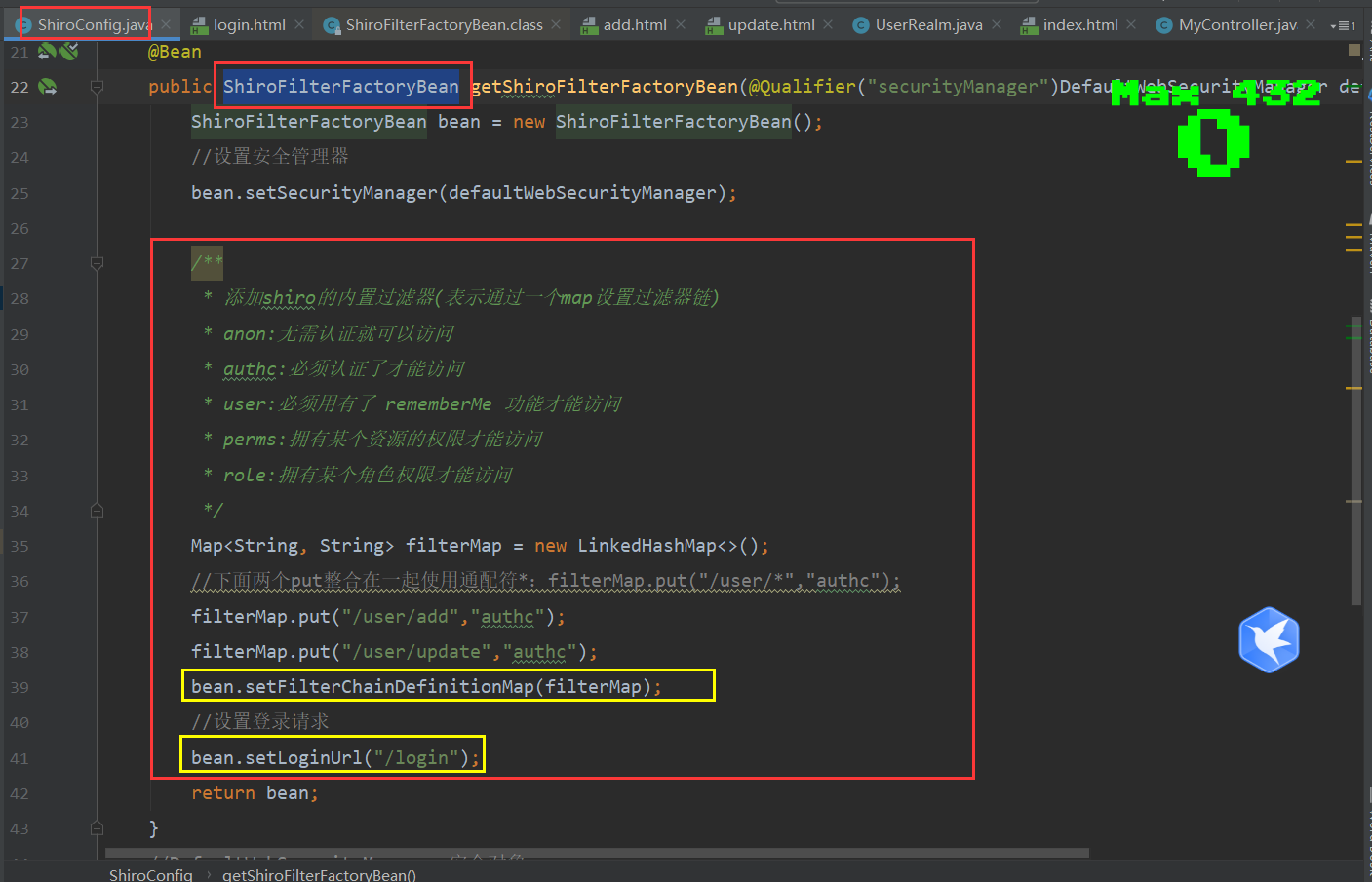
ShiroFilterFactoryBean里面添加内置过滤器,即登录认证之后才能够访问对应路径下的页面
如下:路径”/user/add”和”/user/update”作为键,”authc”作为值,authc则表示用户需要登录认证之后才能访问这两个页面
5、Shiro实现用户认证
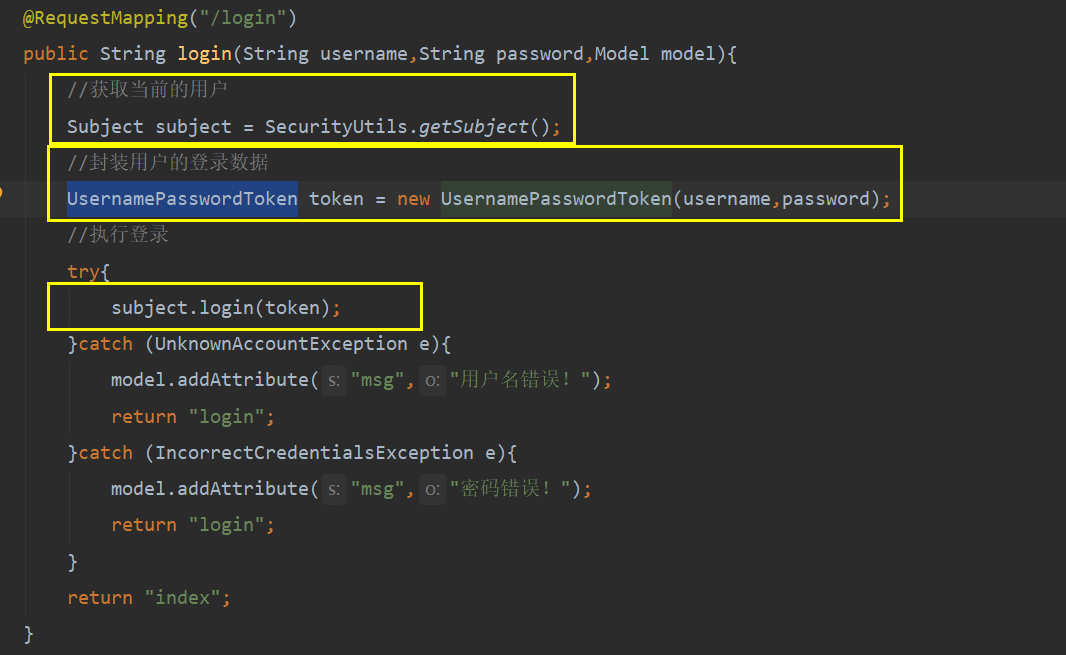
1、登录过程中要用到Subject和封装UsernamePasswordToken
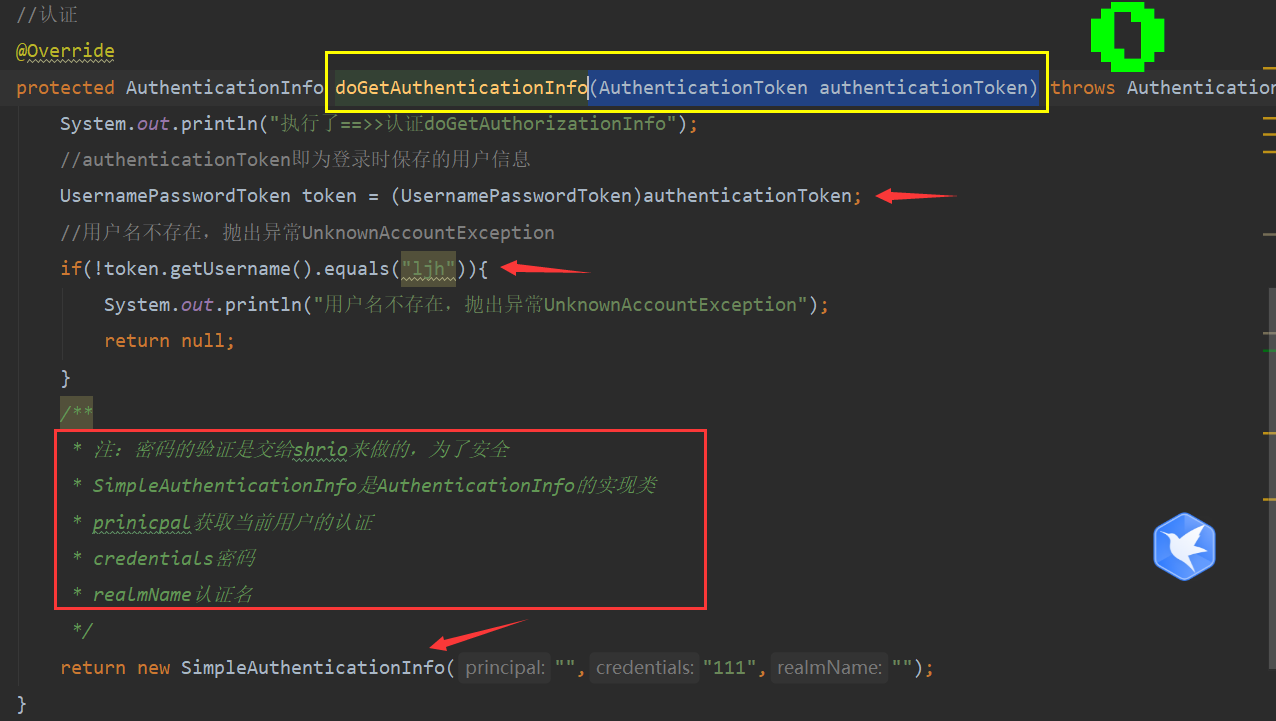
2、认证是交给自定义reaml类UserRealm完成的,通过继承AuthorizingRealm实现的doGetAuthenticationInfo(AuthenticationToken authenticationToken)方法,其中authenticationToken即为登录时保存的用户数据(用户名和密码)
3、密码的校验是交给shrio框架完成的
6、Shrio整合Mybatis
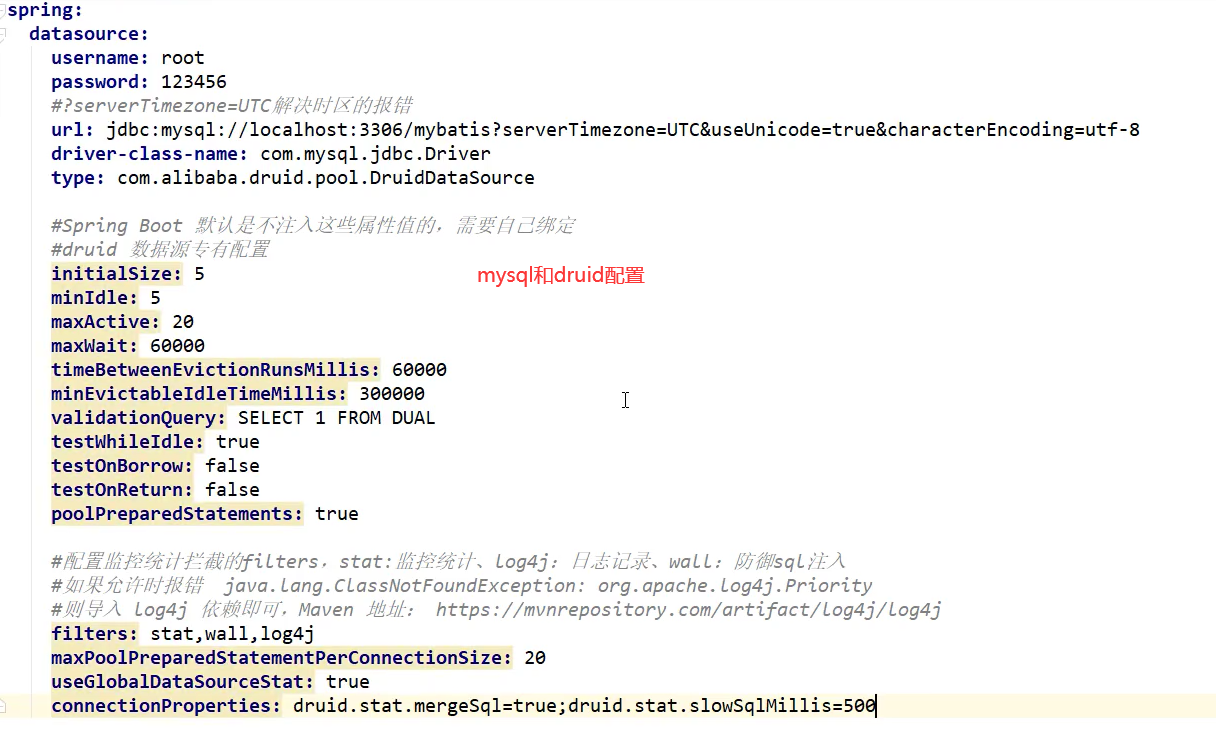
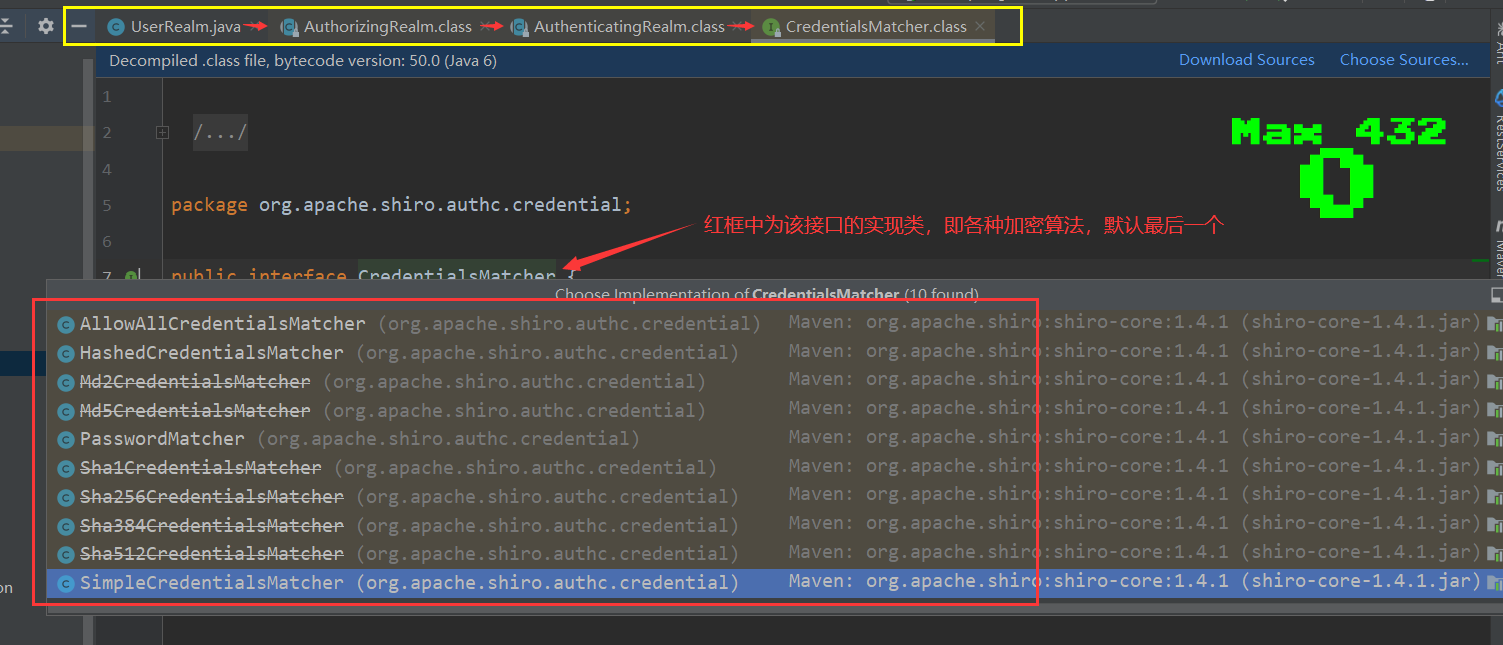
shrio里面提供对用户登录密码加密()
1、md5加密__把密码直接加密;_
2、md5盐值加密_除了密码还额加一些属性
7、Shiro请求授权实现
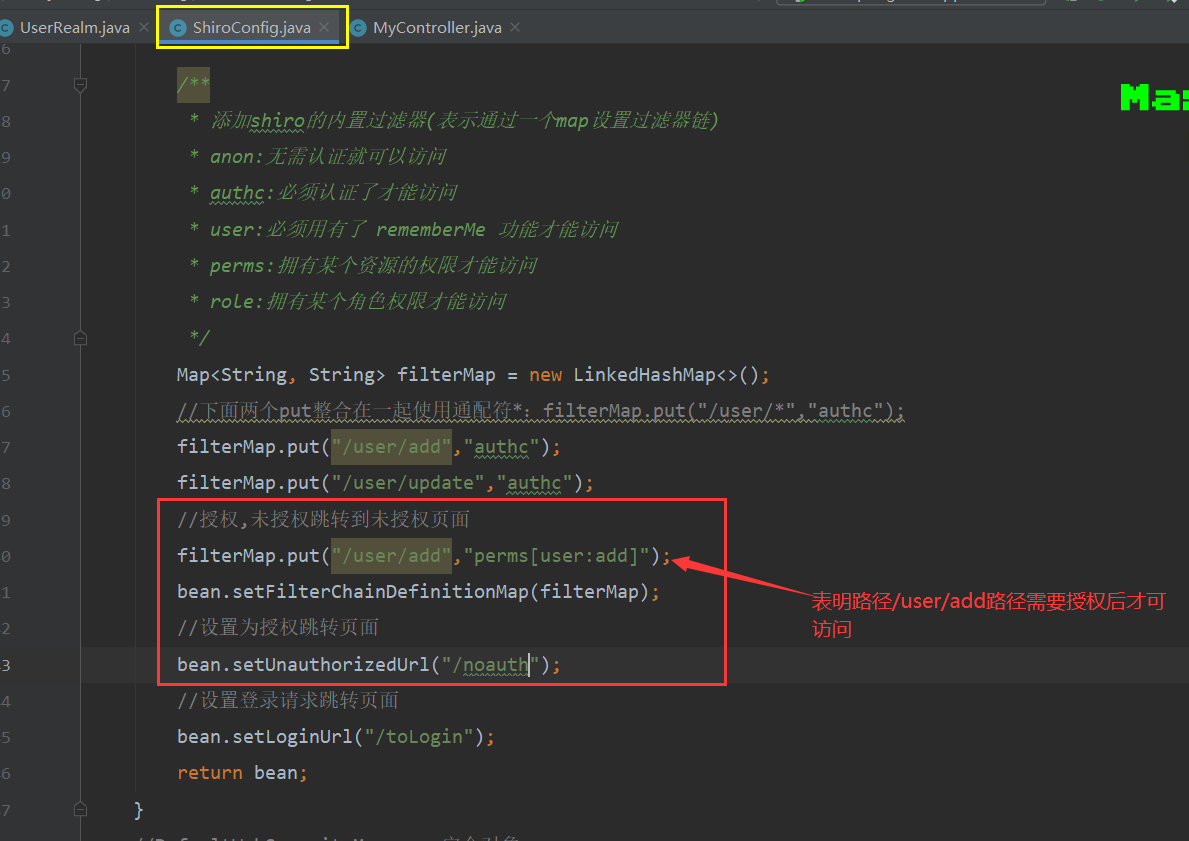
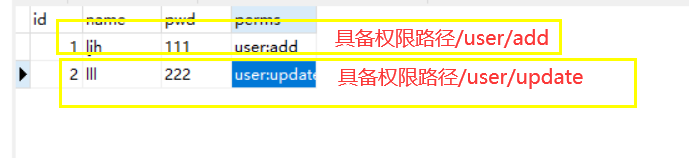
perms[user:add]表示拥有了user:add这个资源才能访问
因此每个用户登录成功后根据自己持有的资源(数据库字段)就能够实现不同用户访问不同的页面了(路径)
因此在数据库里面就要事先确定好某用户具备某资源能访问某页面,授权里面的登录对象需要在认证的时候就得保存,供授权时使用
8、Shiro整合Thymeleaf
<!--Shiro整合Thymeleaf -->
<dependency>
    <groupId>com.github.theborakompanioni</groupId>
    <artifactId>thymeleaf-extras-shiro</artifactId>
    <version>2.0.0</version>
</dependency>
//整合ShiroDialect:用来整合shiro thymeleaf
@Bean
public ShiroDialect getShiroDialect(){
return new ShiroDialect();
}